SHIPPED / 2026 / Open-source Windows utility
Pangdun CleanSpace
A free, open-source Windows utility that combines stubborn software removal, cautious cache cleanup, and large-file discovery behind previews and recovery points.
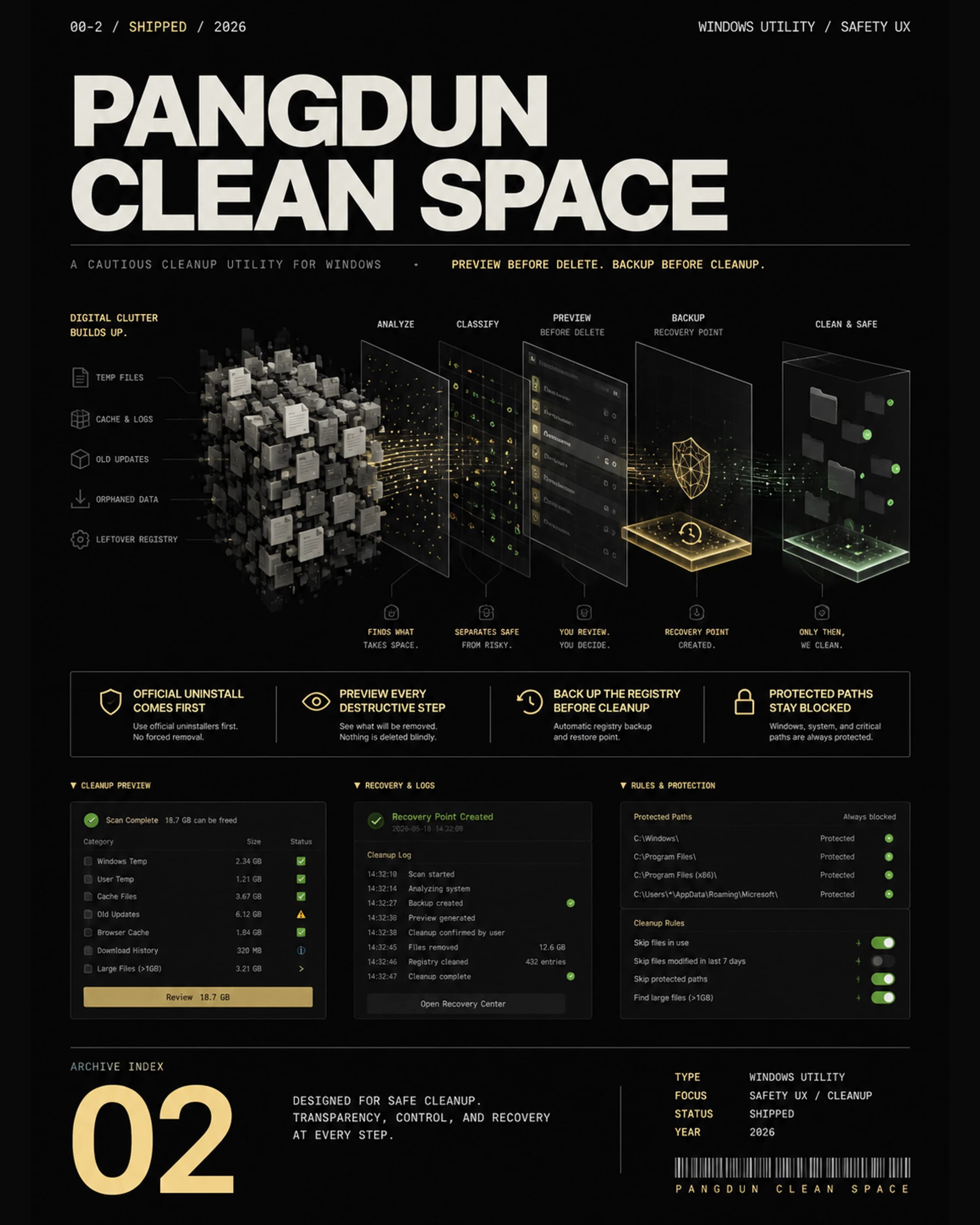
- Official uninstall comes first.
- Preview every destructive step.
- Protected system paths stay blocked.
- Back up the registry before cleanup.
- Rules learn stubborn apps over time.
Product concept, safety model, interface design, and full-stack desktop implementation.
SHIPPED
OPEN SOURCE / GITHUB
CLEAN DEEPLY. EXPLAIN EVERYTHING.
PROBLEM
Free, open-source cleanup tools with clear Chinese interfaces are difficult to find. CorpLink made the gap concrete: its self-protection, background services, and residual folders survived a normal uninstall, while many aggressive cleaners offered too little explanation before acting.
SOLUTION
Pangdun tries the official uninstaller first, then detects processes, services, install roots, data folders, and registry entries. Every destructive step is previewed; protected paths are blocked, registry branches are backed up, and locked leftovers can continue after reboot.
INTERACTIVE PROCESS / SIMULATION ONLY
TRY THE SAFE CLEANUP FLOW.
A lightweight walkthrough. It cannot access your computer or delete anything.
SCANPREVIEWPROTECTCLEAN
- 01
Scan the Windows uninstall registry and enumerate installed programs.
- 02
Detect processes, services, install roots, data folders, and matching specialist rules.
- 03
Preview exact targets, block protected paths, and export registry backups.
- 04
Run the official uninstaller first, force-clean residuals, and queue locked items for reboot.
Official-first removal with a separate force-clean mode for broken uninstallers.
Dry-run previews and protected-path blocking before destructive operations.
Registry backups, live logs, and reboot continuation for locked leftovers.
External, learnable profiles for software with self-protection or hidden services.
Whitelist cache cleanup with risk labels and exact path previews.
Large-file discovery with recycle-bin deletion as the recommended default.
BEFORE → BUILT → AFTER
A normal uninstall left CorpLink services and folders behind; every manual cleanup step lived in a different system tool.
A single-file Windows utility with staged uninstall, cache cleanup, large-file discovery, previews, backups, and logs.
One real-device snapshot found 70 installed apps, about 14 GB of cleanup candidates, and 7 large files after inspecting 1,286 files — evidence from one machine, not a benchmark.
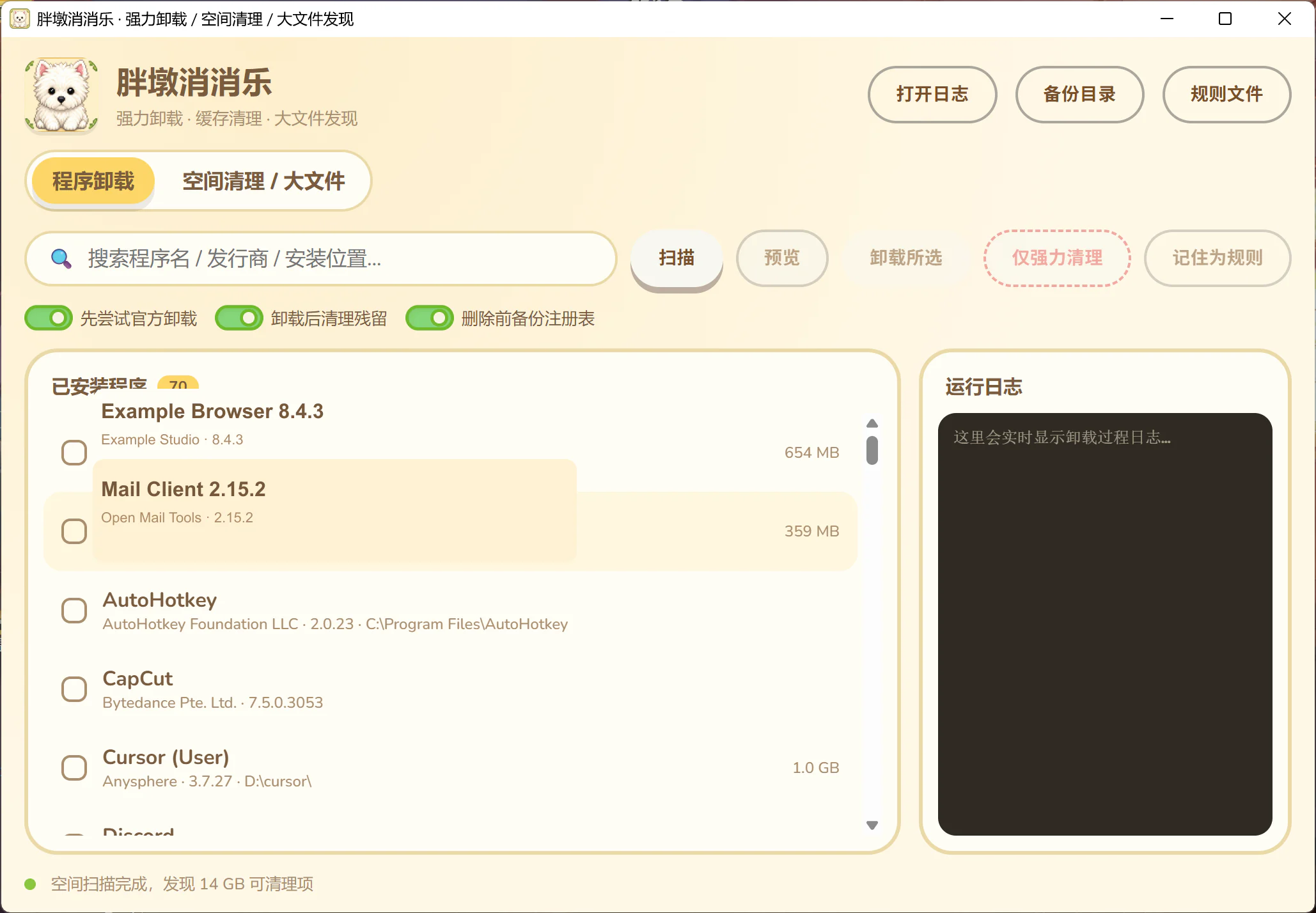
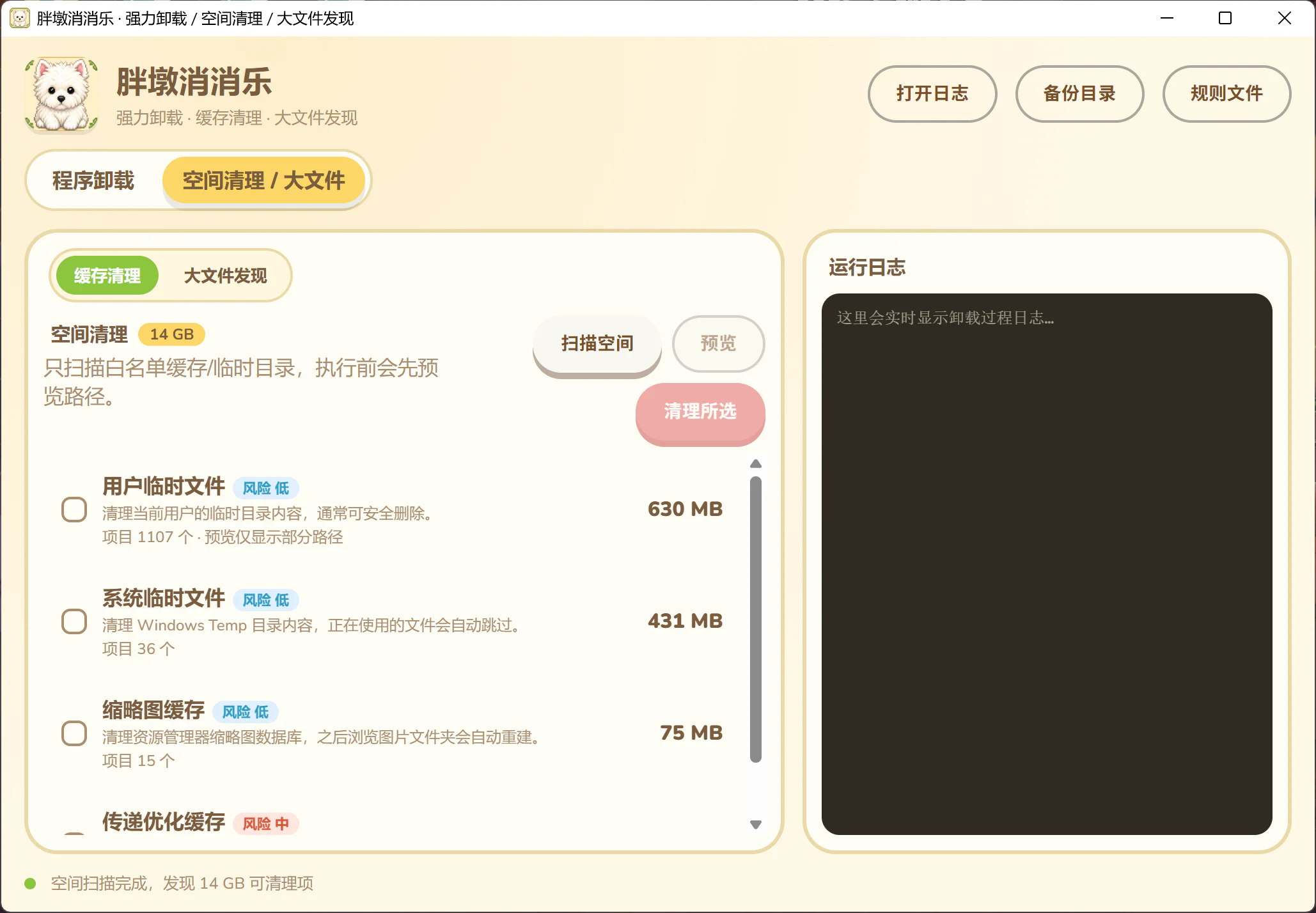
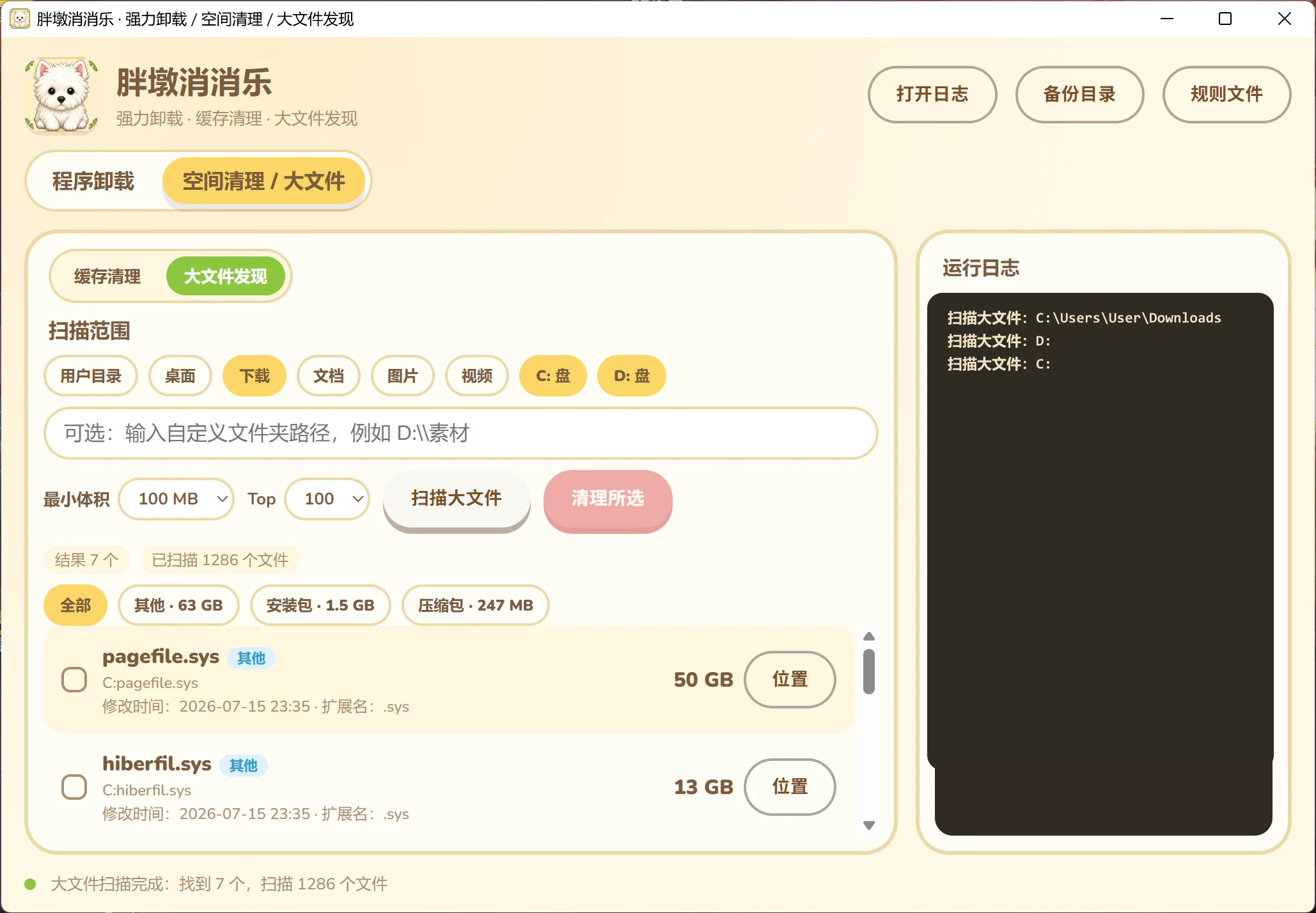
The product value of a destructive utility is not only how thoroughly it removes things. Conservative defaults, explainable targets, and recovery points are part of the core feature set.
Add residual-confidence scoring, stronger recycle-bin or restore-point coverage, and installation snapshots for more exact cleanup.
SEE THE BUILD
[ GITHUB ↗ ]